
Do you want to host fundraisers on your site for a good cause?
WordPress plugins let you set up your crowdfunding campaign directly on your WordPress website.
You get features like easy campaign creation, online payment processing, progress tracking, and more. Best of all, you get complete control over setup, customization, terms and conditions, and so on.
In this guide, we’ll discuss the best WordPress plugins to set up crowdfunding campaigns on your site.
What to Look For in a WordPress Crowdfunding Plugin?
There are plenty of WordPress plugins out there to help you set up donation forms and campaigns on your site. Not all of them are built the same. You’ll want to look for essential features that you’ll definitely need when it comes to fundraising online.
This can vary based on your needs. So you can ask yourself questions like what kind of fundraiser are you planning? What geographical area are you targeting? Would you need recurring payment options? Do you need to issue customized receipts?
Speaking generally, here’s what we recommend your donation plugin should have:
- Crowdfunding Models: Determine whether the plugin supports the type of crowdfunding model you need, such as reward-based crowdfunding, donation-based crowdfunding, equity crowdfunding, or a combination of these.
- Campaign Types: Look for flexibility in creating different types of campaigns. Some plugins may also support other campaign types, like recurring funding or subscription-based models.
- Customization: Consider the level of customization the plugin offers for campaign pages. Look for options to match the plugin’s appearance with your site’s design and branding.
- Online Payments: Verify that the plugin supports popular and secure payment gateways to facilitate transactions. Common options include PayPal, Stripe, and other widely used payment processors.
- Interface: A user-friendly interface is crucial for both campaign organizers and backers. Check if the plugin provides easy-to-use tools for creating and managing campaigns, as well as a straightforward donation process for backers.
- Analytics: You should have access to data such as campaign performance, backer demographics, and donation tracking.
- Social Sharing: Make sure it includes built-in social sharing tools and easy ways to promote campaigns on social media. This can help campaigns gain more visibility.
Aside from this, you need to ensure that the plugin is compatible with your version of WordPress. Check if the plugin is actively maintained and receives regular updates to address security issues and compatibility with the latest WordPress releases.
You’ll also want the plugin to give you access to reliable customer support. Community forums, documentation, and responsive support can be valuable when troubleshooting issues or seeking guidance.
That said, let’s take a look at the best crowdfunding plugins for your site.
The Best WordPress Crowdfunding Plugins
1. Charitable

Charitable is the best crowdfunding WordPress plugin that lets you create fundraising campaigns and collect donations for various causes.
This plugin was created to help individuals and non-profits access powerful fundraising software without a high price tag.
Once you install this plugin on your WordPress site, you get access to an easy-to-use dashboard. Here, you can create your campaigns in under 5 minutes.
Charitable lets you launch one-time donations, recurring donations, peer-to-peer fundraisers, crowdfunding campaigns, and more. Plus, you can create as many campaigns as you need. There’s no limit on that.
Every campaign can be tailored to your needs. The plugin also plays nicely with all popular and well-built WordPress themes. So you won’t have to worry about it being compatible with your existing design.
Added to this, donation management is easy. You can create, edit, and delete donations in your dashboard.
The best part about this is that Charitable never charges any transaction fees. You can integrate with payment gateways like Stripe, PayPal, and Authorize.net
There’s a free donation plugin available in the WordPress repository. They also offer a premium plugin with advanced features such as custom donation forms, recurring donations, annual receipts, donation reports, and email integrations.
Charitable Highlights
- Easy setup
- Customizable emails
- Recurring donations
- Donation goals
- GDPR privacy compliance
- Reliable customer support
Who is Charitable Best For?
Ideal for nonprofits or individuals seeking flexible donation options with customizable campaigns and donor management features.
2. GiveWP

GiveWP is a robust WordPress donation plugin that makes it easy to accept donations on your site.
You can integrate with payment gateways like Stripe, Square, PayPal, and Authorize.net.
It comes with a peer-to-peer fundraising addon that you can install on your site. This lets you crowdfund your campaigns and causes.
First, you can quickly create customizable donation forms and securely process online donations. There’s a user-friendly interface that makes it easy for both website administrators and donors to set up and contribute to fundraising campaigns.
Then you can manage multiple fundraising campaigns from a dashboard. This gives you access to set fundraising goals, track progress, and provide updates to donors.
Other addons include Fee Recovery, Text-to-Give, and Recurring Donations.
GiveWP Highlights
- Customizable donation forms
- Powerful donor management
- Donation tax receipts
- Insight fundraising reports
- Email and marketing integrations that include Zapier, ConvertKit, Constant Contact, and Mailchimp.
Who is GiveWP Best For?
Perfect for charities and fundraising organizations looking for robust donation tracking, recurring donation options, and seamless integration with popular payment gateways.
3. WP Simple Pay

WP Simple Pay is the #1 Stripe payments plugin for WordPress with powerful donation features. If you don’t need a full-fledged donation plugin, you can use this to simplify your donation portal.
You can create simple and customizable payment forms without needing any coding knowledge. You can customize form fields, colors, and other elements.
Then you can securely accept credit card payments directly on their WordPress sites. You can set donation amounts or allow the user to choose how much they want to contribute.
The plugin lets you accept both one-time payments and recurring subscriptions. So you’re not limited to donations. You can also raise funds by selling products, merchandise, event tickets, or subscription services.
You can send confirmation emails to users after successful transactions. Additionally, you can set up email notifications to receive updates about payments.
Finally, the WP Simple Pay plugin includes reporting features to help users track payment activity and performance.
WP Simple Pay Highlights
- 10+ payment methods including debit card, credit card, direct debit, and more
- Dedicated landing pages
- Premade form templates and advanced form builder
- Collect customer data
- Buy Now, Pay Later
- Discounts and coupon codes
Who is WP Simple Pay Best For?
Suited for businesses or entrepreneurs aiming for quick and hassle-free payment processing, offering simple setup and user-friendly interface.
Get started with WP Simple Pay »
4. WPForms

WPForms is the most powerful form builder for WordPress. You can create all sorts of forms including donation forms, order forms, contact forms, volunteer signups, surveys, and polls.
If you’re a small charity, non-profit, or individual, you may not need a full-featured donation portal. WPForms steps in with a simpler solution to create a donation form that lets you accept one-time and recurring donations.
There are 1200+ templates you can choose from to get started with building your donation form. Then, there’s a visual drag and drop builder to customize the form elements and settings.
It takes just a few clicks to enable payment options like PayPal, Stripe, and Authorize.net.
What stands out about WPForms is its smart conditional logic. This lets you show/hide form fields based on the user’s response. It makes your form shorter and more interactive.
The smart logic also applies to automated email notifications. You can set up email confirmations and alerts to be sent out to donors and your team based on what the user entered in the form.
So for instance, if the donor chose a recurring subscription, you can send them a welcome email with what they can expect next. But if the donor made a one-time donation, you can send a thank you email and encourage them to sign up for a recurring donation option.
See our full WPForms Review for more.
WPForms Highlights
- Unlimited forms and unlimited users
- Form templates and visual builder
- Integrates seamlessly with payment and email services
- One-time and recurring payment
- Built-in spam protection
- Custom email notifications
- Accept user file uploads
- Entry management
Who is Best WPForms For?
Great for bloggers or small businesses desiring easy-to-create donation forms with drag-and-drop functionality and multiple payment gateway support.
5. WP Crowdfunding

WP Crowdfunding is a plugin that’s based on WooCommerce (now Woo) to launch and manage crowdfunding campaigns.
This lets you set up a full-fledged crowdfunding platform of your own. So other users can create and launch campaigns to raise funds for themselves or their organization.
They can set the purpose, target goals, and timelines, and submit it to you for approval. They also get a dashboard to manage the campaign including checking the status and submitting fund withdrawal requests.
A highlight of this plugin is that you can display and track the progress of crowdfunding campaigns. This shows people how much money has been raised relative to the set goal.
Coming to financial management, the plugin uses a Native Wallet system to keep track of funds raised on a crowdfunding project.
When a campaign owner raises the required funds, they can send a withdrawal request to you. The plugin will calculate the withdrawable project funds, and website commissions, and also generate statistics.
Then you can send them the money they’re due through Stripe Connect.
WP Crowdfunding Highlights
- Based on WooCommerce
- User generated campaigns
- Approval management system
- Payment methods like PayPal, Stripe, Skrill, and other cards,
- Reporting and statistics
- Powerful addons
- Automated withdrawal calculator
Who is WP Crowdfunding Best For?
Tailored for startups or creative projects requiring comprehensive crowdfunding functionality, including reward-based campaigns and project management tools.
Get started with WP Crowdfunding »
6. YITH Donations for WooCommerce
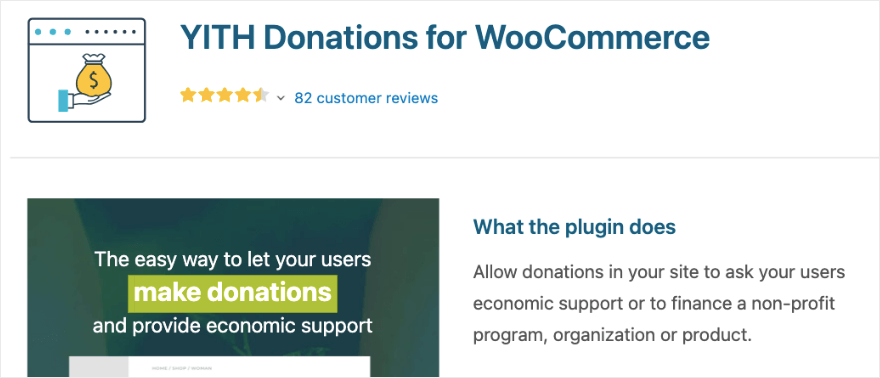
YITH Donations for WooCommerce is a WordPress plugin designed to let you raise funds through your eCommerce store.
This gives your customers the option to add a contribution to a charity on the cart or checkout page. You can associate the donation option with specific products.
Plus, you can either display preset amounts they can choose or let them enter a contribution of their choice.
This simple form can be customized by changing the text, font, style, and colors.
The plugin lets you give users the option to pay via their preferred method such as direct bank transfer, cheque, and Paypal.
A neat feature is that you can display how much as been collected towards the cause encouraging others to help you reach your goal.
YITH Donations for WooCommerce Highlights
- Seamless integration with WooCommerce platform
- Customizable donation options and settings
- User-friendly donation form creation
- Flexible donation amount selection
- Donation tracking and reporting capabilities
- Multiple payment gateway support
- Easy checkout donation process
- Responsive design for mobile compatibility
Who is YITH Donations Best For?
Designed for WooCommerce users seeking seamless integration for donation options within their e-commerce stores, enabling easy checkout donations.
Get started with YITH Donations for WooCommerce »
7. Formidable Forms

Formidable Forms is an advanced form builder for WordPress. It lets you create powerful forms for your site including donation, payment, surveys, and calculator forms. It even has the option to create directories and listing views.
You can use this builder to create a project submission form where users can provide details about their crowdfunding project. It could include fields for project name, description, funding goal, duration, and any other relevant information.
You can then transform entries into listings, directories, calendars and powerful front-end content. So each entry in the directory can represent a unique crowdfunding project, showcasing key details such as project name, progress towards the goal, and a brief description.
Formidable Forms Highlights
- Conditional logic
- File updates
- Repeater fields
- Built-in Captcha protection
- Approve or reject entries easily
- Unlimited email notifications
- Enable front-end editing of forms
- Auto-populate fields with saved entries and user meta
- 30+ available add-ons
Who is Formidable Forms Best For?
Beneficial for organizations or developers needing advanced form-building capabilities with donation-specific features like conditional logic and calculations.
Get started with Formidable Forms »
8. Donorbox

Donorbox is a great solution to your crowdfunding needs that’s not limited to WordPress. When you sign up, you can set up a customizable donation form, donate button, or fundraising page.
Once your campaign is live, you can simply copy the form, button, or page to your website, emails, and social media.
You can connect the campaign to your PayPal or Stripe account and accept donations directly to your bank account.
Donorbox has a feature called Live Kiosk that lets you turn your tablet into an in-person donation booth. You can easily collect cashless donations during events, at your church, and on the go.
You can sign up for free but there’s a 1.5% to 2.95% flat rate platform fee on every transaction.
Donorbox Highlights
- Donation forms, pages, and buttons
- Peer to peer fundraising
- Tracking and analytics
- Customizable receipts
- Dedicated customer and tech support
Who is Donorbox Best For?
Ideal for nonprofits or charities aiming for a streamlined donation experience, offering recurring donation options, donor management, and customizable donation forms.
That’s our list of the best crowdfunding plugins for WordPress. We hope we were able to help you find the best one that matches your needs. Next, we give you our final verdict.
Which is the Best CrowdFunding Plugin for WordPress?
After reviewing the top crowdfunding and donation plugins available, here’s our recommendations of the top 3 plugins:
- Charitable: For full-fledged crowdfunding portals with campaigns, online payments, and easy management.
- GiveWP: For its robust peer-to-peer fundraising addon
- WPForms: To create a simple donation form and accept payments online
Now that you know which is the best crowdfunding plugin, you may want to learn how to create dedicated pages to promote your campaigns. For that, check out our expert pick of the Best WordPress Page Builders.
Up next, you may also want to read:
- 8 Best WordPress Digital Downloads Plugins
- 6 Best WordPress Popup Plugins to Grow Leads and Sales
- 6 Best WordPress SMTP Plugins to Fix Email Issues
These guides will help you find more tools and builders to take your donation campaigns to a new level.
Leave a Reply