
Do you want a WordPress testimonial plugin to showcase reviews on your site?
Displaying testimonies on your website can help boost sales and build your online reputation. So it’s important to have a plugin that allows you to customize and control your reviews and testimonials section.
In this guide, we give you our expert pick of the best WordPress testimonial plugins you can use on your website right away. We’ve been sure to add both premium as well as free WordPress review plugins.
Top 5 WordPress Testimonial Plugins
| Plugin | Best For | Pricing | Money Back | Free Version |
|---|---|---|---|---|
| Reviews Feed Pro | Showcasing authentic social proof from various platforms | $49/yr | 30 Days | ❌ |
| Thrive Ovation | Effortless testimonials collection and management | $49/yr | 30 Days | ❌ |
| WP Review Pro | Comprehensive review system | $67/yr | 30 Days | ✅ |
| AIOSEO | Using reviews to boost rankings and traffic | $49.50/yr | 14 Days | ✅ |
| SeedProd | Creating a dedicated testimonials section or page | $39.50/yr | 14 Days | ✅ |
How We Test and Review Testimonial Plugins
We picked the best testimonial plugins by looking at their features, user reviews, and how well they integrate with WordPress. Here’s our process:
- We install each selected plugin on a test WordPress site. Then we evaluate the installation process for simplicity and compatibility with your website theme and other plugins.
- We review and test its process and interface to check for ease of use, customization options, and reliability.
- With most WordPress plugins, there’s no one-size-fits-all. So we look for unique features to help you decide if it’s the right plugin for your website’s needs.
Our goal is to find plugins that make it easy for you to showcase testimonials effectively and make your site more trustworthy.
Why Trust WP101
At WP101, we have 16+ years of experience teaching WordPress to thousands of people. Our team of WordPress experts reviews every plugin and tool on real websites. We also regularly update our content to keep up with changes in WordPress and the marketing world, and make sure you get the latest information.
Why You Need a WordPress Testimonial Plugin?
Testimonials add a personal touch and make your site more attractive. Plus, seeing positive reviews makes people trust your business more.
Now it’s not easy to collect, organize, and display these testimonials – especially having to update new testimonials when they come in.
This is where a WordPress testimonial plugin can help. Here’s how:
- Display testimonials easily: It’s simple to showcase customer feedback on your site without needing to manually code or format them.
- Capture testimonials: Create forms or fields where visitors can submit their testimonials directly on your website, streamlining the process of collecting feedback.
- Organize testimonials: Manage and categorize testimonials, making it easy to organize them based on different criteria such as products, services, or categories.
- Customize appearance: Customize the appearance of testimonials to match your website’s design and branding, ensuring a cohesive look.
- Integrate with other plugins: Seamlessly integrate with other WordPress plugins, such as page builders or e-commerce platforms, allowing you to incorporate testimonials into various parts of your website.
- Control display settings: Testimonial plugins offer control over how and where testimonials are displayed on your site, giving you the flexibility to show/hide them.
- Track performance: Some testimonial plugins offer analytics or tracking features to monitor the performance of testimonials, such as views or clicks, helping you understand their impact on your website’s conversion rate and overall success.
Overall, it’s a great way to use happy customer stories to attract new business and make your website more appealing.
Best WordPress Testimonial and Review Plugins
Here are the best testimonial and review plugins we’ve reviewed for you. You can use the quicklinks below to jump to the plugin that interests you the most.
We’ve made sure to include a variety of plugins to match different website owners’ needs. That said, let’s get started.
1. Reviews Feed Pro
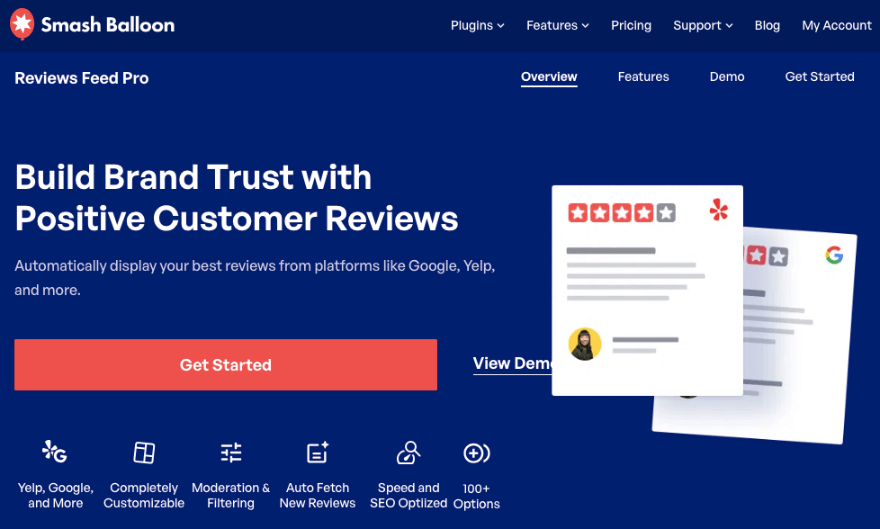
Reviews Feed Pro is the best reviews plugin for WordPress sites. It lets you display your best reviews from platforms like Google, Yelp, Facebook, Trustpilot, TripAdvisor, and more.
You won’t have to worry about updating your site with the latest reviews. The plugin will do that for you.
What we love about this plugin is how easy it is to customize and control your reviews feed. There’s an easy-to-use editor that lets you change the feed’s layout, add different buttons, and create your own color scheme.
You can also display product reviews to potential buyers. This will help increase trust and boost sales by showcasing positive feedback from previous customers.
Once you create your custom feed, you can add it to any page, post, or widget area on your website. The plugin comes with a readymade block or you can choose to embed it with a shortcode.
Reviews Feed Pro Highlights
- Fully customizable feed
- Prebuilt layouts
- Supports all popular review platforms
- Moderate and filter reviews
- Auto fetch new reviews
- Optimized for speed and SEO
Who is Reviews Feed Pro Best For?
Reviews Feed Pro is perfect if you want to showcase positive reviews from platforms like Google, Facebook, Yelp, and more directly on your website to build credibility and trust with potential customers.
Reviews Feed Pro Pricing
You can get the Reviews Feed Pro plugin as a standalone tool for $49 per year. It comes with a 30-day unconditional money back guarantee.
It also is available in an all-access bundle that costs $239 per year. This includes the Facebook Feed Pro, YouTube Feed Por, Instagram Feed Pro, TikTok Feeds Pro, and more!
Get Started With Reviews Feed Pro »
2. Thrive Ovation
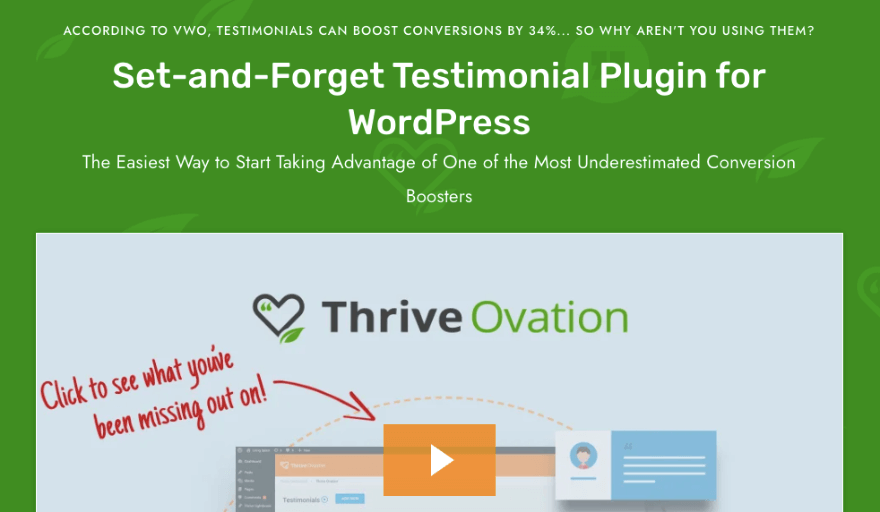
Thrive Ovation is a powerful WordPress plugin that helps you gather, manage, and display testimonials effectively on your website.
It lets you showcase testimonials in various formats, including text, images, and videos. So you have multiple channels to provide social proof and build credibility with your audience.
You can also customize the appearance and layout of testimonials to match your website’s design and branding, ensuring a seamless integration.
When we tested this WordPress testimonial plugin, we were able to organize and manage testimonials efficiently right inside the WordPress dashboard. That means you won’t need to go to a third-party site which makes it easy to review, approve, and edit submissions.
What stands out is its automated processes to request testimonials from customers or clients.
Thrive Ovation is a conversion-focused tool so you’ll get features like testimonial sliders, grids, and pop-ups to maximize the impact of testimonials on your website.
Plus, you can seamlessly integrate Thrive Ovation with your favorite email marketing platforms and other Thrive Suite plugins for enhanced functionality.
The most powerful feature we found is the Thrive Ovation dashboard which gives you a bird’s eye view. You can view user-submitted, WordPress comments, social media, and imported testimonials all in one testimonial library.
Thrive Ovation Highlights
- Set and forget system
- Easy testimonial collection
- Neat templates
- Twitter integration
- Easy testimonial management
Who is Thrive Ovation Best For?
It’s best for those who want a set-and-forget testimonials plugin. If you want to manage testimonies and reviews from multiple platforms under one roof, this is the best plugin for that.
Thrive Ovation Pricing
Thrive Ovation costs $49 per year. It comes with a 30-day money-back guarantee.
Now Thrive Ovation is part of a bigger system called Thrive Suite. This is packed with conversion-focused tools and costs $299 per year.
Get Started With Thrive Ovation »
3. WP Review Pro

WP Review Pro is a powerful plugin designed to enhance your website by showcasing reviews and ratings of your products, services, or content. You can display feedback from customers or users in an organized and visually appealing manner.
When we installed this plugin, it opened up a library of pre-designed templates to get started. Plus, there are customizable styling options to make the feed just the way you want. We could choose different types of rating systems you can use, like percentage, star rating, points, thumbs, and more.
You can also customize the image for ratings with a custom icon. Also, you can insert additional text alongside your ratings. You can use this text to explain your ratings, give feedback, or provide additional value to the user.
If you run an eCommerce store, you can also showcase product reviews and create product comparisons.
With this plugin, you can seamlessly integrate customer reviews into your website’s design to maintain a professional appearance.
WP Review Pro Highlights
- 19 snippets
- 16 premade customizable templates
- Multiple rating systems
- User Comment Rating and Review
- Integrates with Google Places, Yelp, Facebook and more
- Integrates with WooCommerce
- Comparison tables
- Popups and notification bars
- Translation ready
- Compatible with any WordPress theme
Who is WP Review Pro Best For?
WP Review Pro is best for those looking for a reviews plugin with a user-friendly interface, extensive customization, and advanced options. It offers a comprehensive suite of features, including customizable review boxes, rich snippets for improved SEO, comparison tables, and integration with popular platforms like Google, Yelp, and Facebook.
WP Review Pro Pricing
Starts at $67 per year with a 30-day money back guarantee.
Get Started With WP Review Pro »
4. All in One SEO (AIOSEO)

All in One SEO (AIOSEO) is the best SEO plugin for WordPress. This is a must-have plugin if you want to maximize the results your testimonials and reviews can bring.
First, you can add schema markup to your review pages, which helps search engines understand the content of your reviews and display them more prominently in search results. This can improve your site’s visibility and drive more traffic to your review pages.
Also, it will enhance the appearance of your search engine listings by displaying star ratings, review counts, and other relevant information. This can make your listings stand out in search results and attract more clicks.
Next, AIOSEO automatically generates XML sitemaps for your site, including your review pages. This ensures that search engines can easily discover and index your reviews.
Added to this, the plugin integrates with social media platforms. This lets you optimize your review pages for social sharing which in turn can attract more visitors to your review pages and generate more social buzz around your reviews.
AIOSEO Highlights
- Rich snippets (Schema)
- Smart sitemaps
- WooCommerce SEO
- Social media integration
Who is AIOSEO Best For?
Best for those looking to use their reviews to improve visibility and clicks on search engine page results.
AIOSEO Pricing
Starts at $49.50 per year. The plugin comes with a 14-day 100% no risk money back guarantee.
The basic free version of this plugin is available in the WordPress.org plugin repository.
5. SeedProd

SeedProd is a powerful drag and drop website builder for WordPress. You can use it to create landing pages, coming soon pages, maintenance pages, and more.
It comes with premade blocks and sections to add testimonials and reviews to your website.
With the testimonials block, you can add text testimonials, star ratings, images of the reviewers, and more. You can also customize the layout, styling, and formatting of the testimonials to match your website’s design and branding.
You can even craft a dedicated testimonials page. There’s a drag and drop builder to customize your page and every section within it. SeedProd offers integration with popular email marketing services like Constant Contact, ActiveCampaign, Mailchimp, and ConvertKit. This can be useful for collecting testimonials from your subscribers or customers directly through your landing pages.
SeedProd Highlights
- 300+ templates and 90+ pro blocks
- Dedicated testimonials widget/block
- Drag and drop customizer
- Responsive and mobile-ready
- SEO optimized
- Premium email integrations
Who is SeedProd Best For?
For those who want to create a dedicated testimonials section on their website. You can add the testimonials block to any page or post you create with SeedProd.
SeedProd Pricing
Starts at $39.50 per year. The plugin comes with a 14-day 100% no risk money back guarantee. The basic free version of this plugin is available in the WordPress.org plugin repository.
6. Custom Twitter Review Feed

Custom Twitter Review Feed is another great plugin from Smash Balloon. It lets you display Twitter (X) testimonials on your site.
When you install this plugin, you simply have to connect to your Twitter feed with a few clicks. Then you can filter what kind of tweets you want to include in the feed.
You can even automatically moderate tweets so that tweets containing specified words are hidden.
Once you’re done customizing it, you can embed the feed anywhere on your site. Then users will see reviews and testimonials your customers have shared on Twitter (x). By showcasing these tweets on your site, you can foster engagement and interaction with your audience, as well as encourage others to share their own experiences.
Including a custom Twitter review feed on your website can also have SEO benefits, as it provides fresh and relevant content that search engines value, potentially improving your website’s search engine rankings.
Custom Twitter Feed Highlights
- Seamlessly integrate with Twitter
- Display Twitter testimonials
- Create custom filtered feeds
- Dynamic SEO content
Who is Custom Twitter Feed Best For?
Custom Twitter Feed is for those who want to display testimonials and reviews from their Twitter profiles on their WordPress website.
Custom Twitter Feed Pricing
You can get the Custom Twitter Feed plugin as a standalone tool for $49 per year. It comes with a 30-day unconditional money back guarantee.
It also is available in an all-access bundle that costs $239 per year. This includes the Facebook Feed Pro, YouTube Feed Por, Instagram Feed Pro, TikTok Feeds Pro, and more!
Get Started With Custom Twitter Review Feed »
7. WP Business Reviews

WP Business Reviews is specifically designed to help you display and manage reviews from various online platforms such as Google, Yelp, Zomato, Facebook, and more, directly on your website.
Even though you’ll pull reviews from different platforms, you can customize the appearance and layout of reviews to match your website’s design and branding. So the reviews seamlessly integrate with your website.
WP Business Reviews lets you filter and sort reviews based on criteria such as platform, rating, or date, allowing you to highlight the most relevant and positive feedback.
It comes with conversion-focused features such as review sliders, grids, and pop-ups to maximize the impact of reviews on your website.
WP Business Reviews Highlights
- Automatically pulls in new reviews
- Powerful user interface
- Sort and group reviews
- Filter out negative reviews
- Light, dark, or transparent style
- Multiple display formats like a gallery, carousel, or list
Who is WP Business Reviews Best For?
Best for you if you want to collect and display reviews from multiple platforms in one place, providing visitors with a comprehensive view of your online reputation.
WP Business Reviews Pricing
Starts at $49 per year. It comes with a 30-day money back guarantee.
Get Started With WP Business Reviews »
8. WPForms
WPForms is hands down the #1 form builder plugin for WordPress. It’s an all-in-one solution so you’ll never need another plugin to build a form.
That said, you can create forms to request feedback and testimonials from your users. You can add star ratings, Likert scales, dropdown menus, multiple choice, and so much more to these testimonial forms.
What we love about this builder is that it has smart conditional logic.
This means you can ask follow-up questions based on a user’s response. So for instance, if a user gives you a 3-star rating, you can ask ‘What can we improve?’ But if a user gives you a 5-star rating, you can ask ‘What did you love?’
You have full control over how your form works and looks. There are 1300+ templates that you can choose from. Then there’s a drag-and-drop editor to customize the form. You can add/edit/delete form fields as you need.
There’s a surveys and polls addon that you can enable on your site as well. This lets you run as many surveys and polls as you need to collect data and feedback from your customers.
Next, you can set up automated email notifications to be sent to the user to confirm their submission, or send them a coupon code! You can also create auto-emails for your admin or team members so that they are notified of the new form submission.
You can add the form to any post, page, or sidebar of your site. So you’ll have plenty of options to grant the user’s attention to fill out the form.
WPForms Highlights
- 1500+ form templates
- Review or feedback submission form
- Smart conditional logic
- Drag and drop customizer
- Automated email confirmations and notifications
- Email and payment integrations
- Entry management
- Built-in spam protection
Who is WPForms Best For?
WPForms Pricing
Starts at $49.50 per year. The plugin comes with a 14-day 100% no risk money back guarantee.
The basic free version of this plugin is available in the WordPress.org plugin repository. For features like entry management and surveys/polls addon, then you need to sign up for a pro account.
9. TrustPulse

TrustPulse is a powerful social proof plugin to instantly boost conversions. It captures recent activity on your site and displays it in neat non-intrusive popups.
For instance, you can showcase recent purchases, recent newsletter signups, or how many people have visited this page in the last 24 hours. You can also showcase the number of testimonials you’ve received recently. There’s a lot you can do with TrustPulse.
TrustPulse lets you create Action Messages that are clickable popups. This serves as a static notification to help drive visitors to take action or highlight information.
You can use this to ask customers to leave a review or testimonial right after they’ve made a purchase.
You can also showcase customer testimonials and reviews on your site. You can do this by manually creating a review notification. Then you can add a link to the review page or third-party site such as Google, Yelp, or Capterra.
TrustPulse Highlights
- Easy to set up and use
- Automatically captures recent activity
- Customizable action messages
- Analytics notifications
- Popular visitor analytics
- Real-time tracking
- No code needed
Who is TrustPulse Best For?
Best suited for those who want a non-intrusive way of asking customers to leave a review. It also works to showcase reviews in these small popups that can give customers that nudge towards completing their purchase or signing up.
TrustPulse Pricing
Starts at $5 per year.
10. User Feedback
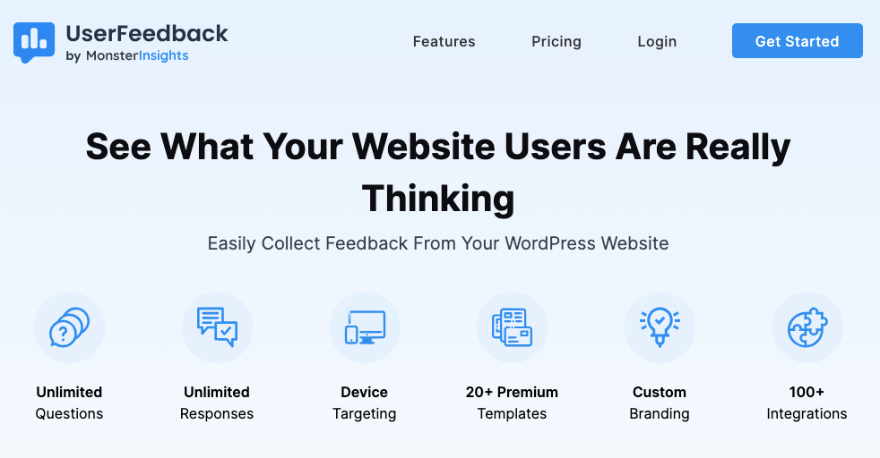
User Feedback is a simple but powerful plugin to collect feedback, reviews, and testimonials from your users. You can display a non-intrusive popup on your site asking the user questions.
There are 20+ templates you can choose from. What we liked when we took this plugin for a test drive is that you can choose which device you want to show/hide the popup.
You could ask questions like:
- What can be improved on this website?
- Did you enjoy shopping with us?
- Was this page easy to understand?
- Would you like to leave us a review?
You can ask the customer pretty much anything you like. You choose from multiple choice or free form question, or even ask for a star rating.
The plugin is easy to install and use. Plus, there are no limits on how many questions you can ask and how many responses you can collect.
User Feedback Highlights
- Pre-built templates
- Unlimited testimonials collection
- Fully customization
- Smart targeting
- Simple Reporting
- Integrations with MonsterInsights and Google Analytics
Who is User Feedback Best For?
For those who want to collect reviews, star ratings, and testimonials on their website.
User Feedback Pricing
Free. The pro version starts at $49.50 per year. The plugin comes with a 14-day 100% no risk money back guarantee.
Get Started With User Feedback »
11. Soliloquy

Soliloquy is the best WordPress slider plugin. It’s easy to install on your site and then you can create stunning front-end sliders with testimonials and reviews.
You can add text, images, icons, and more. So for example, you could add the person’s image and include quotes or the full testimonial.
Soliloquy lets you add titles and captions to each slide as well. So you can use the title field to add the name of the person providing the testimonial and use the caption field to add the testimonial text itself. You can also customize the font size, color, and alignment of the titles and captions of the slideshow.
We were happy to find customizable settings under the Config tab This lets you change the slider size, add transition effects, enable autoplay, and more.
You can find Soliloquy in the WordPress plugin repository or purchase the premium version from the Soliloquy website.
Soliloquy Highlights
- Unlimited sliders and rotators
- Pre-built slider themes and display options
- WooCommerce product sliders
- Featured posts, pages, video testimonials
- Lightbox effect
- Custom CSS
Who is Soliloquy Best For?
For those who want to create a testimonials showcase in neat sliders on their site, complete with images, videos, text, and effects.
Soliloquy Pricing
Starts at $19.50 per year.
12. Site Reviews

Site Reviews is a free WordPress plugin to manage reviews on your site. You can showcase your best testimonials by pinning them, ensuring they’re always prominently displayed first.
Need to approve reviews before they are published? This plugin gives you control over the content displayed on your site. You even get to mark reviews as verified so customers know these are real testimonials.
You can also allow only logged-in users to write reviews, ensuring accountability and minimizing spam or fake reviews.
Next, this plugin lets you set up custom notifications to receive alerts whenever new reviews are submitted. So you’ll be informed and responsive to customer feedback.
Site Reviews Highlights
- Ratings summaries
- WooCommerce integrations
- Blacklist specific reviews
- Instant notifications
- Members only support
- Multisite support
Who is Site Reviews Best For?
For those looking for a free reviews plugin for WordPress.
Site Reviews Pricing
Free plugin. The premium version starts at 89 eBest WordPress Testimonial Pluginsuros per year.
Get Started With Site Reviews »
13. Strong Testimonials

Strong Testimonials makes it easy to collect, manage, and showcase testimonials or reviews on your website. It has flexible features suitable for both beginners and seasoned professionals.
You can seamlessly import reviews from popular platforms like Facebook, Google My Business, Yelp, Zomato, and WooCommerce.
Then simply tailor your testimonial collection process to your specific needs. For instance, if you run a car review website, utilize custom fields to gather detailed testimonials, including information such as car manufacturer, model, and horsepower.
The best part is you can create multiple forms to collect testimonials from different sources or for different products/services on your website. There’s no limit to the number of forms you can create or use.
Strong Testimonials Highlights
- Custom testimonial collection form
- Multiple testimonial collection form
- Schema.org markup
- Captcha anti-spam form protection
- Custom notification emails to multiple admins
Who is Strong Testimonials Best For?
Anyone who wants to collect and display testimonials on their own website.
Strong Testimonials Pricing
There’s a free plugin. Strong Testimonials Pro starts at $29 per year.
Get Started With Strong Testimonials »
14. Testimonial Slider

Testimonial Slider is a developer and user-friendly testimonial plugin. You can use this to create testimonial sliders that are 100% customizable. It lets you edit testimonial fields, style, color, and general appearance.
Then you can order testimonials by date, title, or ID.
What stands out about this plugin is its ability to filter by members. This allows you to display testimonials by department or individual member.
You can add more details to the testimonial that will appear in a popup. So only if a user is interested in reading more, then they can click on it to get additional information.
This is great for hospitals, schools, universities, and larger institutions.
With the free version, you can use either of the 2 grid layouts and 2 slider layouts. The premium plugin comes with more layouts and advanced features.
Testimonial Slider Highlights
- 9 grid layouts, 11 sliders
- 6 isotope filter layouts
- Detail page popup
- Translation and RTL support
- Style and order control
- Image size control
Who is Testimonial Slider Best For?
For larger institutions that need to showcase reviews and testimonials by department or sections.
Testimonial Slider Pricing
Free version available. The premium plugin starts at $26 per year.
Get Started With Testimonial Slider »
15. Spectra

Spectra – WordPress Gutenberg Blocks is a free extension to the WordPress Block editor.
It comes with 30+ free customizable blocks, coming soon mode, and a popup builder. Under the blocks, you’ll get star ratings, countdown, marketing button, icon list, image gallery, and even support for Lottie Animations.
It also comes with blocks to showcase your social status. You’ll find blocks like Instagram Feed, Blockquote, Social Share, Team, and Testimonials, which allow you to highlight social proof and engage with your audience effectively.
There’s zero learning curve as Spectra works on top of the default WordPress block editor.
Spectra Highlights
- 30+ blocks
- Editable layouts
- Effects and animations
- Coming soon mode
- Works with any theme
- Optimized for performance and speed
Who is Spectra Best For?
Best for those who use the Gutenberg/block editor in WordPress and want to add a testimonial block to their existing design.
Spectra Pricing
Free.
That’s our list of the best testimonial plugins for WordPress. Up next, we give you our final verdict to help you choose.
Which is the Best WordPress Testimonial Plugin?
Now that we’ve reviewed the most popular and reliable testimonial plugins available, here’s our final recommendations.
If you rely on third-party sites to collect reviews, our top 2 recommendations are:
If you want to collect testimonies on your site, then we recommend:
That’s all we have for you. We hope you liked this guide. Next, you may also want to explore our tutorials on How to Create Custom Forms with WPForms and How to Add a Popup Form in WordPress.
Interested in mastering WordPress through easy video tutorials? Sign up for a 7-day free trial to experience it first hand:
Leave a Reply